|
<< Click to Display Table of Contents >> Transit - New Stop |
  
|
|
<< Click to Display Table of Contents >> Transit - New Stop |
|
Overview
Create a stop.
Click  button on Stop Summary screen.
|
Description
|
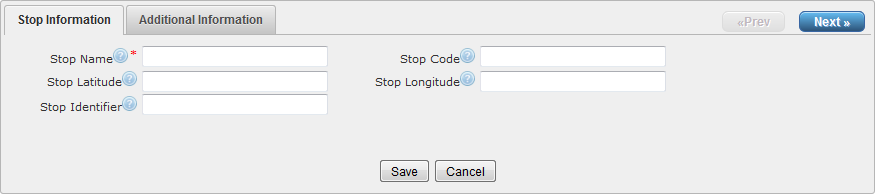
Stop Information
|
Stop Name
|
The name of a stop or station.
|
Stop Code
|
A short text or number that uniquely identifies the stop for passengers.
|
Stop Latitude
|
The latitude of the stop or station.
|
Stop Longitude
|
The longitude of the stop or station.
|
Stop Identifier
|
The ID that uniquely identifies a stop or station.
|
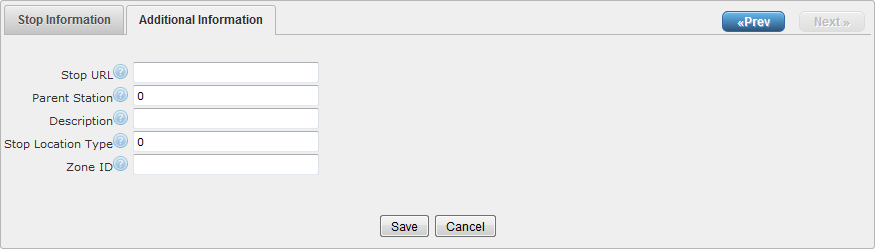
Additional Information
|
Stop URL
|
The URL of a web page that contains information about a particular stop.
|
Parent Station
|
For stops that are physically located inside stations, the 'Parent Station' field identifies the station associated with the stop.
|
Description
|
The description of a stop.
|
Stop Location Type
|
Identifies whether this Stop ID represents a stop or station.
|
Zone ID
|
The unique identifier that defines the fare zone for a Stop ID. This field is only required if fare information is being provided in the 'Fare Rules' file.
|
|
Store changes and exit
|
|
Undo any changes and exit.
|