|
<< Click to Display Table of Contents >> WebMMS - Handset Profile |
  
|
|
<< Click to Display Table of Contents >> WebMMS - Handset Profile |
|
Overview
Handset Profiles allow you to customize the way MMS multimedia content is displayed on a subscriber's handset.
When you send an MMS broadcast, you can select a default Handset Profile or choose 'Subscriber' in the 'Delivery Options'.
If a particular subscriber is associated with a matching profile, the message will be displayed according to the settings you have saved (i.e. height and width, URL navigation instructions, display duration).
|
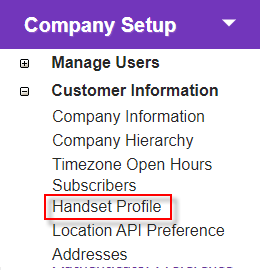
Click the 'Handset Profile' link in 'Company Setup > Handset Profile' to open the 'Handset Profile Summary' screen.
View, edit, or create Handset Profiles here. |
Description
|
Summary
Click a 'Model' name to view and/ or edit its details.
|


 next to the required profile and click to use profile as default.
